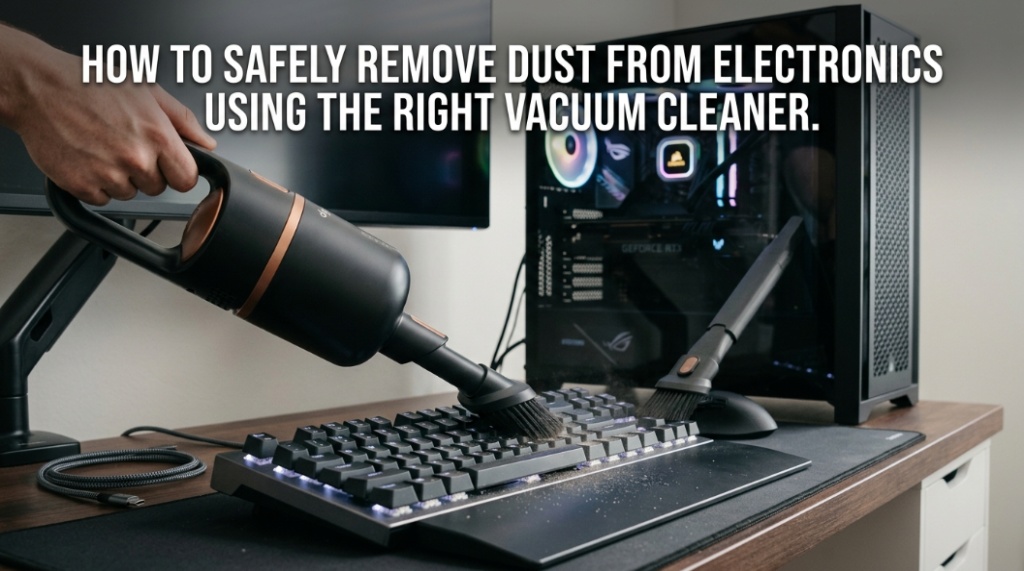
One invisible spark smaller than a grain of dust can permanently damage a motherboard worth hundreds of dollars. That’s exactly why using an ESD-safe vacuum instead of a regular household vacuum has become essential for safely cleaning modern electronics. Whether you maintain gaming PCs, servers, laptops, industrial control boards, or networking equipment, an anti static electronics vacuum prevents electrostatic discharge (ESD) that can silently destroy sensitive components.
What Is an ESD-Safe Vacuum and Why Does It Matter?
An ESD-safe vacuum is a specialized cleaning vacuum designed to prevent electrostatic discharge while removing dust and debris from sensitive electronic equipment.
Unlike standard household vacuums, an anti static electronics vacuum uses grounded conductive materials, static-dissipative hoses, and anti-static accessories to reduce the risk of electrical discharge. This matters because modern electronic components are highly sensitive to voltage spikes, even ones too small for humans to feel.
Electrostatic discharge can damage:
- Motherboards
- RAM modules
- Graphics cards
- SSDs and storage devices
- Industrial circuit boards
- Medical electronics
- Networking hardware
According to the U.S. Electrostatic Discharge Association, static discharges as low as 30 volts can damage sensitive electronic components, while humans usually cannot feel static below 3,000 volts.
Why Is a Regular Vacuum Dangerous for Electronics?
A regular household vacuum can generate high levels of static electricity that may destroy sensitive electronic components during cleaning.
Most standard vacuums use fast-moving plastic hoses and brushes that create friction. That friction builds electrostatic charge. When the charge discharges into a motherboard or exposed circuit, the damage may be immediate or gradual.
Common risks include:
- Shortened component lifespan
- Data corruption
- Damaged integrated circuits
- Hidden latent failures
- Random system instability
- Total hardware failure
This is especially dangerous when cleaning:
- Gaming PCs
- Servers
- Laptops
- Data center equipment
- Industrial electronics
- Audio production gear
Many technicians mistakenly assume compressed air alone is safe enough. While compressed air helps remove loose debris, it often pushes dust deeper into components or spreads contaminants around the workspace.
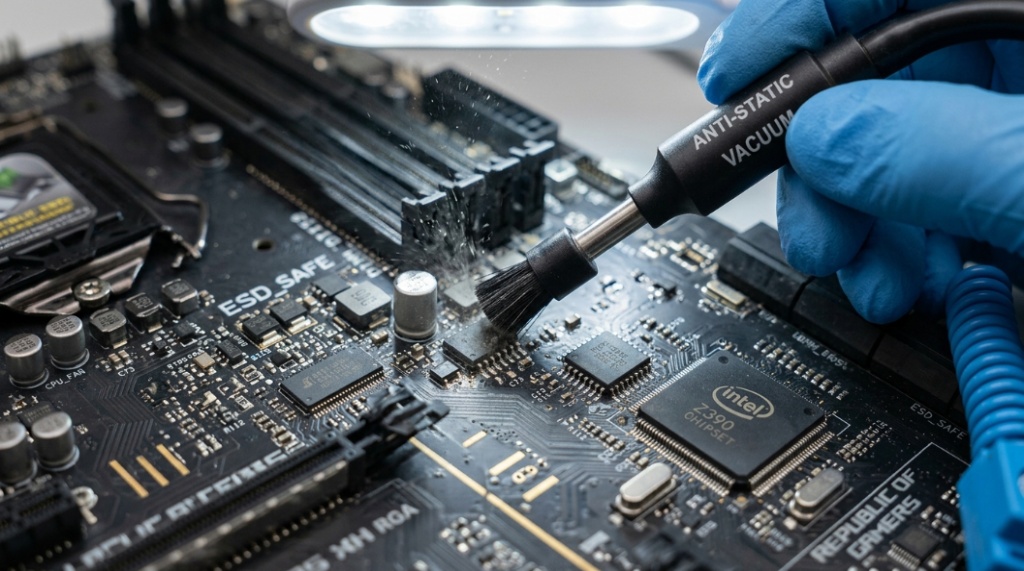
How Does an Anti Static Electronics Vacuum Prevent Damage?
An anti-static electronics vacuum prevents damage by safely dissipating electrical charge before it can reach sensitive electronic components.
These vacuums are engineered with conductive and dissipative materials that redirect static buildup safely to ground. High-quality systems also include grounded nozzles and HEPA filtration.
What Features Make a Vacuum ESD-Safe?
An ESD-safe vacuum includes specialized materials and grounding systems designed for electronics cleaning.
- Static-dissipative hose systems
- Grounded conductive nozzles
- Anti-static brushes
- ESD-certified components
- HEPA or micro-filtration systems
- Low-static airflow design
Professional repair technicians often use grounded wrist straps alongside the vacuum for additional protection.
Why Is HEPA Filtration Important?
HEPA filtration traps microscopic particles that could otherwise recirculate into electronics.
Dust contains:
- Skin particles
- Moisture
- Metal contaminants
- Pet hair
- Fibers
- Combustion residue
When dust accumulates inside computers, it restricts airflow and increases heat buildup. Excess heat can reduce CPU and GPU performance and shorten component lifespan.
What Electronics Should Be Cleaned With an ESD-Safe Vacuum?
Any sensitive device containing exposed circuitry should ideally be cleaned using an ESD-safe vacuum.
This includes both consumer electronics and industrial systems.
| Device Type | Why ESD Protection Matters |
|---|---|
| Desktop PCs | Exposed motherboard and GPU components |
| Laptops | Tightly packed sensitive circuitry |
| Servers | High-value enterprise hardware |
| Networking Equipment | Sensitive communication chips |
| Medical Electronics | Precision electronic systems |
| Industrial Control Systems | Critical automation hardware |
| Audio Equipment | Static-sensitive audio processors |
Can Dust Really Damage a Computer?
Yes. Dust buildup can significantly reduce cooling efficiency and increase the risk of overheating and hardware failure.
Dust acts like insulation inside electronics. Over time, fans, heatsinks, and ventilation channels become clogged.
Common consequences include:
- Higher CPU temperatures
- GPU thermal throttling
- Louder cooling fans
- Reduced gaming performance
- Unexpected shutdowns
- Premature hardware wear
Data centers and IT departments routinely schedule preventative maintenance because overheating can cost companies thousands in downtime.
What Makes Computer Components So Sensitive to Static?
Modern electronic components use microscopic transistor structures that can be permanently damaged by very small electrical discharges.
Today’s CPUs and GPUs contain billions of transistors packed into extremely small spaces. Even minor ESD events can puncture insulating layers inside semiconductor materials.
Static damage occurs in two forms:
Catastrophic Failure
The component stops working immediately.
Latent Failure
The damage weakens the component over time, causing intermittent crashes or future failure.
Latent failures are particularly dangerous because users may not realize damage occurred during cleaning.
How Often Should You Clean Electronics?
Most computers and electronics should be cleaned every 3 to 6 months depending on dust exposure and usage conditions.
Factors affecting cleaning frequency include:
- Pets in the home
- Smoking indoors
- Carpeted rooms
- High humidity
- Industrial environments
- Continuous system usage
Gaming PCs and workstations typically require more frequent cleaning because they generate higher heat loads.
What Are the Signs Your Computer Needs Cleaning?
Several performance and thermal issues indicate that internal dust buildup is becoming a problem.
- Fans running constantly
- Overheating warnings
- Sudden shutdowns
- Reduced gaming FPS
- Loud fan noise
- Visible dust around vents
- Slower rendering performance
Ignoring these warning signs can eventually lead to thermal damage or reduced hardware lifespan.
Is Compressed Air Better Than an Electronics Vacuum?
Compressed air and an electronics vacuum serve different purposes, but an ESD-safe vacuum offers more controlled dust removal.
| Cleaning Method | Advantages | Disadvantages |
|---|---|---|
| Compressed Air | Quick for loose dust | Blows dust deeper into systems |
| ESD-Safe Vacuum | Controlled debris removal | Higher upfront cost |
| Regular Vacuum | Cheap and accessible | Unsafe static buildup |
Many professional technicians combine both methods by loosening debris with compressed air while simultaneously extracting it using an anti static electronics vacuum.
What Should You Avoid When Cleaning Electronics?
Certain cleaning mistakes dramatically increase the risk of damaging electronic hardware.
Avoid Household Vacuums
Standard vacuums generate static electricity and should never touch exposed circuitry.
Avoid Excess Moisture
Liquid cleaners can corrode components or cause short circuits.
Avoid Aggressive Brushing
Hard brushes may damage delicate connectors or capacitors.
Avoid Cleaning While Powered On
Always disconnect power before internal cleaning.
What Industries Commonly Use ESD-Safe Vacuums?
Many industries rely on ESD-safe cleaning tools because static damage can create major operational or financial losses.
- IT support companies
- Computer repair shops
- Data centers
- Electronics manufacturing
- Aerospace engineering
- Medical device manufacturing
- Telecommunications
- Military electronics maintenance
In electronics manufacturing environments, ESD protection is often mandatory under workplace compliance standards.
What Should You Look for in the Best Computer Cleaning Vacuum?

The best computer cleaning vacuum combines ESD safety, strong filtration, portability, and specialized attachments.
Key Features to Consider
- Certified ESD-safe construction
- HEPA filtration
- Low-noise operation
- Portable design
- Multiple nozzle attachments
- Grounded hose system
- Durable motor lifespan
Why Portability Matters
IT technicians often move between offices, server rooms, and repair stations. Lightweight systems improve convenience and reduce downtime.
Are Cheap Anti-Static Vacuums Worth Buying?
Not always. Some low-cost products claim anti-static protection without proper ESD certification.
Before buying, check for:
- Independent ESD compliance
- Grounded construction details
- Professional reviews
- Commercial technician recommendations
- HEPA filtration standards
Businesses managing expensive hardware infrastructure typically invest in commercial-grade ESD-safe vacuums because the cost of damaged electronics far exceeds the vacuum price.
Can an ESD-Safe Vacuum Improve Computer Performance?
Indirectly, yes. Proper cleaning improves cooling efficiency, airflow, and thermal stability.
Lower operating temperatures can help:
- Maintain boost clock speeds
- Reduce thermal throttling
- Improve gaming consistency
- Extend fan lifespan
- Improve system reliability
Clean systems also accumulate less heat stress over time, which benefits long-term hardware stability.
Why Are Data Centers Strict About Dust Control?
Dust contamination in data centers can increase cooling costs, hardware failures, and operational downtime.
Large-scale server environments depend heavily on airflow efficiency. Even small dust accumulations across hundreds of servers can impact cooling systems.
According to industry infrastructure reports, cooling expenses represent a major portion of data center operational costs. Cleaner systems operate more efficiently and reduce maintenance interruptions.
Should Home Users Invest in an Anti Static Electronics Vacuum?
Yes, especially if they own gaming PCs, expensive workstations, or frequently upgrade hardware.
Home users increasingly own high-value electronics containing sensitive components. A single GPU may cost more than a professional electronics vacuum.
An ESD-safe cleaning setup becomes especially valuable for:
- PC builders
- Gamers
- Content creators
- Crypto mining setups
- Home labs
- NAS server owners
Conclusion
An ESD-safe vacuum is not just a specialized cleaning tool. It is a protective investment for modern electronics. Standard household vacuums create static electricity that can silently damage sensitive components, while a properly designed anti static electronics vacuum safely removes dust without risking electrostatic discharge.
As computers, servers, and electronic systems become more powerful and expensive, safe maintenance matters more than ever. Dust buildup reduces cooling performance, increases heat, and shortens hardware lifespan. Proper cleaning with a computer cleaning vacuum helps maintain reliability, airflow, and long-term system health.
Whether you manage enterprise servers, repair laptops, build gaming PCs, or maintain a home workstation, using the right cleaning equipment dramatically lowers risk. Preventative maintenance is always cheaper than replacing damaged hardware.
If you regularly clean electronics, investing in an ESD-safe vacuum is one of the smartest upgrades you can make for protecting your devices and improving long-term performance.
Frequently Asked Questions
Can I use a regular vacuum to clean my PC?
No. Regular household vacuums generate static electricity that can damage sensitive internal components like motherboards, RAM, and graphics cards.
What does ESD-safe mean?
ESD-safe means the equipment is designed to prevent electrostatic discharge by safely dissipating static electricity away from sensitive electronics.
Is compressed air alone enough for cleaning electronics?
Compressed air helps remove loose dust, but it often spreads particles around instead of fully removing them. Combining compressed air with an ESD-safe vacuum is more effective.
How often should I clean my gaming PC?
Most gaming PCs should be cleaned every 3–6 months depending on room conditions, pets, airflow, and dust exposure.
Can dust reduce gaming performance?
Yes. Dust restricts airflow and increases temperatures, which can lead to thermal throttling and lower FPS performance.
Are anti-static vacuums expensive?
Prices vary widely. Entry-level ESD-safe vacuums are affordable for home users, while professional-grade systems cost more due to advanced filtration and compliance standards.
Do laptops also need ESD-safe cleaning?
Yes. Laptops contain highly compact sensitive circuitry that can also be damaged by electrostatic discharge during improper cleaning.
📌 Related Reads
Discover: Best Affordable Mountain Bikes for Adults This Year